アプリ詳細
 | WinZip Computing LLC |
更新日:2026/04/04 15:43
カスタマーレビュー
★☆☆☆☆
日本語のファイルが文字化け圧縮されたファイルの中に日本語のファイルが含まれていると文字化け。これで有料アプリとはいえ対応する気が無いのか、改善される見込が無い。
damedakyorya : 2020/09/12
★☆☆☆☆
使えない結果開かない
あゅやややや : 2017/05/30
★☆☆☆☆
ダメlzh解凍不可。
ヒカマメ : 2016/07/29
★☆☆☆☆
使えないアップデートしてから使えなくなった
しんせ : 2016/02/23
★☆☆☆☆
見れない少し前から解凍は出来てるっぽいのだがファイルが見れない状態以前は使い易かったのに対処お願いします
ウリバタケ : 2016/01/07
★☆☆☆☆
解凍できないLocalでもクラウドでもunzipしようとしても「operation failed」と表示され解凍できない。内容の一覧は見えるがファイルの中身は見る事が出来ません。
mika_rin_go : 2015/11/24
★☆☆☆☆
ファイルが開けない解凍するはいいが'Open file failed try to open it with other Apps'と表示され使えない。
山ふじ : 2015/11/22
★☆☆☆☆
lzh解凍は出来ないlzh解凍する為に購入しましたが、解凍出来ないようです。
ten_kawa : 2015/04/25
★☆☆☆☆
使えなくなりましたios8にアップグレードしたら利用できなくなりました。
cjd : 2014/10/18
アプリ概要
スクリーンショット


説明
Get the world’s #1 zip file opener utility on iOS! Create Zip and Zipx files, extract files, encrypt, open Zip, Zipx, 7z, RAR or LHA files, send large files by email, share to Dropbox, Google Drive, OneDrive, iCloud, Twitter or Facebook.
The reviews are unanimous!
“Trying to open zip files a zip file on your mobile phone? Good luck -- unless you happen to have this handy tool installed. It launches directly from your inbox to give you a look inside those pesky file packages. “ - Mashable
CNET (download.com) gives WinZip for iOS a 5 star rating, saying "We love apps that are simple and straightforward to use. WinZip definitely fits that description. We recommend it for all users."
If you frequently use your iOS device to send and receive documents and large image files, you'll find a friend in the new WinZip app for iPhones and iPads. The full version costs , but it's worth the investment, according to CIO.com blogger James A. Martin.
From AppPicker: "Why not sink a few dollars into this fantastic full version of WinZip for your iPhone and iPad!"
WinZip makes it easy to handle major compressed types of files on your iPhone, iPad or iPod Touch!
Whether you receive a Zip, Zipx, 7z, RAR or LHA file as an email attachment, or want to extract download and view the contents of a Zip, Zipx, 7z, RAR or LHA file from the web, just “Open with WinZip”. Sharing files is safe and simple too, with direct integration with Dropbox, Google Drive, OneDrive and iCloud, and support for AirDrop.
Now you can:
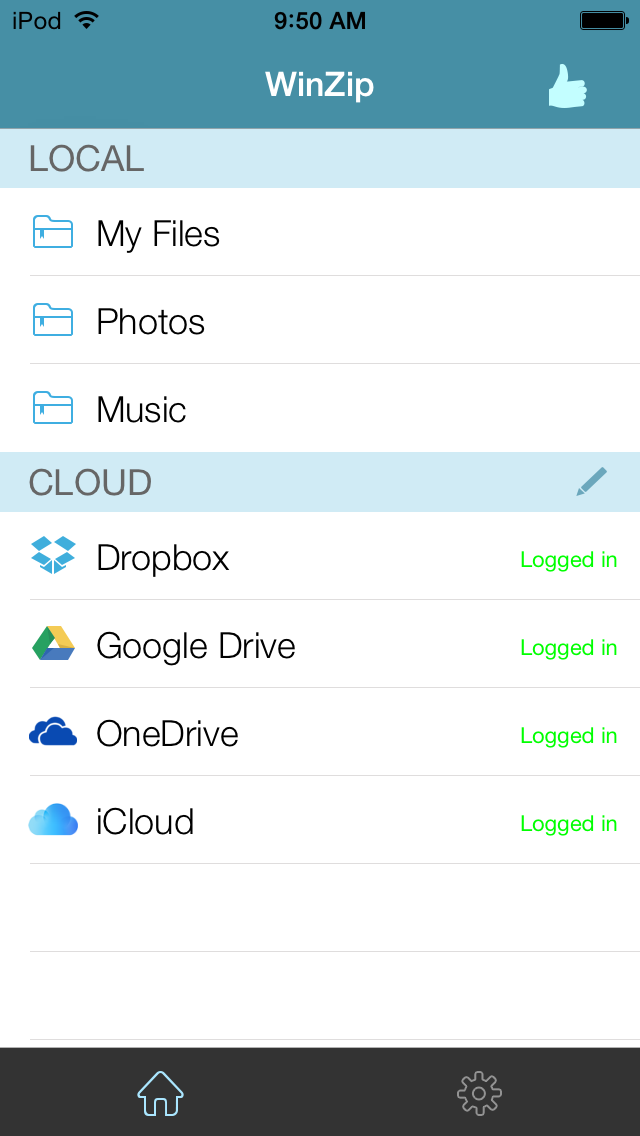
• Connect directly to your Dropbox, Google Drive, OneDrive and iCloud accounts to zip, unzip and share files
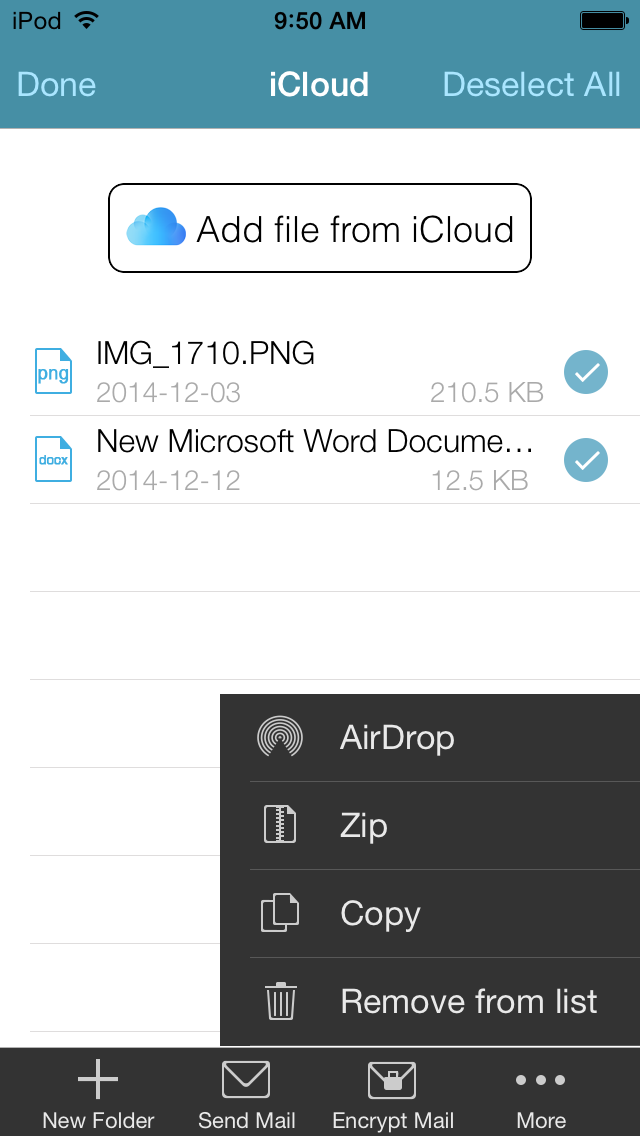
• Zip your cloud storage files, unzip files to your accounts, and create and save .zip and .zipx files to your accounts
• Send or copy links to your files in your cloud storage accounts
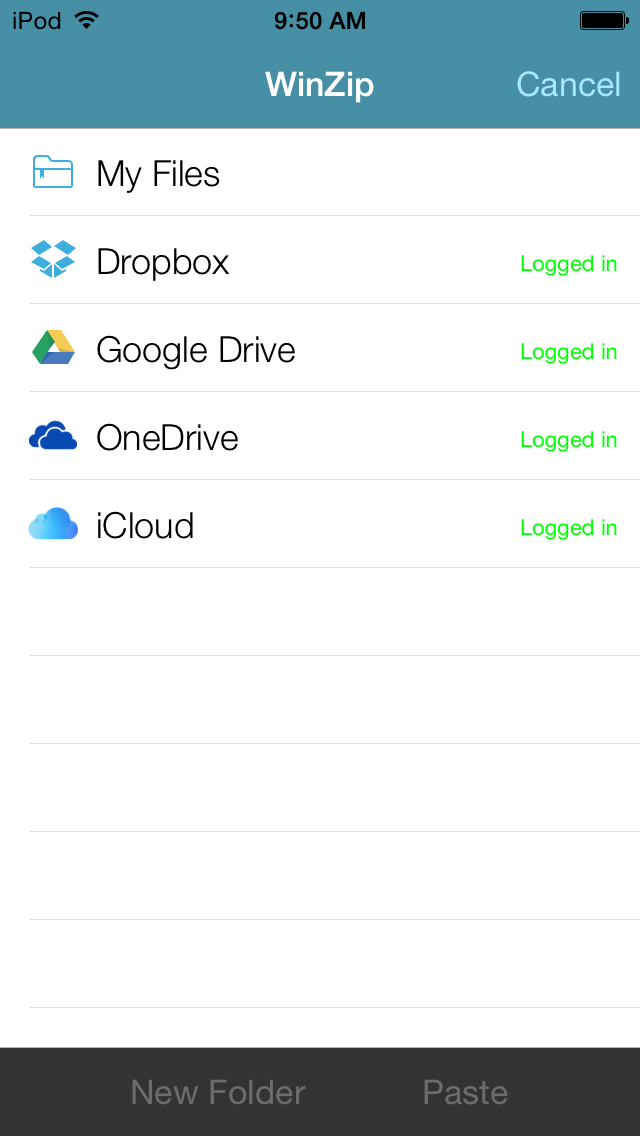
• Copy files from your cloud storage accounts and save them on your device
• Unzip major compressed file types, including .ZIP, .Zipx, .RAR, .7z and LHA with just a tap
• Choose Zip or Zipx format to compress and email large files, photos and videos with ease
• Zip and share photos and videos from your Camera Roll
• Use WinZip to access music files on your device and save them to your cloud accounts
• Send files to other iOS users with integrated support for AirDrop
• Protect your files before you save and share with powerful 128- or 256-bit AES encryption
• Open and save email attachments to your connected cloud storage accounts or My Documents folder on your iPhone or iPad
• Easily view all images in a Zip file with the enhanced image viewer
• Browse your Photo Album and easily multi-select, zip and share photo collections
• Share photos in your zip files to Facebook and Twitter
• Download or upload files from/to WinZip through iTunes/iTools
• Unzip and view most common file types, including: .doc, .docx, .xls, .xlsx, .ppt, .pptx, .pages (including new iWork 13), .numbers (including new iWork 13), .key, .rtf, .pdf, .jpg, .png, .bmp, .gif, .tif, and more
View any of the following types of files within your Zip or RAR file:
• Word documents (.doc, .docx)
• Excel spreadsheets (.xls, .xlsx)
• PowerPoint presentations (.ppt, .pptx)
• PDF files (.pdf)
• Photos and images (.jpg, .jpeg, .png, .bmp, .gif, .tif, .tiff, .heic)
• Text files (.txt, .ini, .inf, .bat, .js, .log, .xml, .css, .java, .cs, .h, .m, .cpp, .c, .sql)
• Web documents (.htm, .html, .jsp, .asp)
• Rich Text Format documents (.rtf)
• Keynote presentations (.key)
• Numbers spreadsheets (.numbers)
• Pages documents (.pages)
• Media files (.m4a, .mp3, .wav, .mp4, .mov)
The reviews are unanimous!
“Trying to open zip files a zip file on your mobile phone? Good luck -- unless you happen to have this handy tool installed. It launches directly from your inbox to give you a look inside those pesky file packages. “ - Mashable
CNET (download.com) gives WinZip for iOS a 5 star rating, saying "We love apps that are simple and straightforward to use. WinZip definitely fits that description. We recommend it for all users."
If you frequently use your iOS device to send and receive documents and large image files, you'll find a friend in the new WinZip app for iPhones and iPads. The full version costs , but it's worth the investment, according to CIO.com blogger James A. Martin.
From AppPicker: "Why not sink a few dollars into this fantastic full version of WinZip for your iPhone and iPad!"
WinZip makes it easy to handle major compressed types of files on your iPhone, iPad or iPod Touch!
Whether you receive a Zip, Zipx, 7z, RAR or LHA file as an email attachment, or want to extract download and view the contents of a Zip, Zipx, 7z, RAR or LHA file from the web, just “Open with WinZip”. Sharing files is safe and simple too, with direct integration with Dropbox, Google Drive, OneDrive and iCloud, and support for AirDrop.
Now you can:
• Connect directly to your Dropbox, Google Drive, OneDrive and iCloud accounts to zip, unzip and share files
• Zip your cloud storage files, unzip files to your accounts, and create and save .zip and .zipx files to your accounts
• Send or copy links to your files in your cloud storage accounts
• Copy files from your cloud storage accounts and save them on your device
• Unzip major compressed file types, including .ZIP, .Zipx, .RAR, .7z and LHA with just a tap
• Choose Zip or Zipx format to compress and email large files, photos and videos with ease
• Zip and share photos and videos from your Camera Roll
• Use WinZip to access music files on your device and save them to your cloud accounts
• Send files to other iOS users with integrated support for AirDrop
• Protect your files before you save and share with powerful 128- or 256-bit AES encryption
• Open and save email attachments to your connected cloud storage accounts or My Documents folder on your iPhone or iPad
• Easily view all images in a Zip file with the enhanced image viewer
• Browse your Photo Album and easily multi-select, zip and share photo collections
• Share photos in your zip files to Facebook and Twitter
• Download or upload files from/to WinZip through iTunes/iTools
• Unzip and view most common file types, including: .doc, .docx, .xls, .xlsx, .ppt, .pptx, .pages (including new iWork 13), .numbers (including new iWork 13), .key, .rtf, .pdf, .jpg, .png, .bmp, .gif, .tif, and more
View any of the following types of files within your Zip or RAR file:
• Word documents (.doc, .docx)
• Excel spreadsheets (.xls, .xlsx)
• PowerPoint presentations (.ppt, .pptx)
• PDF files (.pdf)
• Photos and images (.jpg, .jpeg, .png, .bmp, .gif, .tif, .tiff, .heic)
• Text files (.txt, .ini, .inf, .bat, .js, .log, .xml, .css, .java, .cs, .h, .m, .cpp, .c, .sql)
• Web documents (.htm, .html, .jsp, .asp)
• Rich Text Format documents (.rtf)
• Keynote presentations (.key)
• Numbers spreadsheets (.numbers)
• Pages documents (.pages)
• Media files (.m4a, .mp3, .wav, .mp4, .mov)
リリース情報
さまざまな安定性の改善が行われました