アプリ詳細
 | Phase Five Systems |
更新日:2025/12/24 20:35
カスタマーレビュー★
★★★☆☆
惜しいリモートデスクトップそのものの機能としては十分なのだけど、日本語入力がねぇ。完全なキーマッピング機能がベストなんだけど、入力されたキーコードをそのままリモートに送るモードがあれば、あとはKarabiner-Elementsと組み合わせればなんとかなりそうな気もする
まじんはひまじん : 2025/12/17
★★★★★
Mac製品の中で最高のリモートデスクトップアプリ色々と試した中で一番使い勝手がいいアプリです。iPadから、Macbookから自宅の開発用PCにアクセスできるので、非常に重宝しています。低レイテンシでもしっかり動くので、外出先でインターネット共有でも問題なし。ひとつ要望があるとすれば、他の方も言っていますが、JISキーボードの対応がないことです。「英数」「かな」キーの対応されたらもう完全に文句なしです。
ガワキ : 2025/12/09
アプリ概要
スクリーンショット
説明
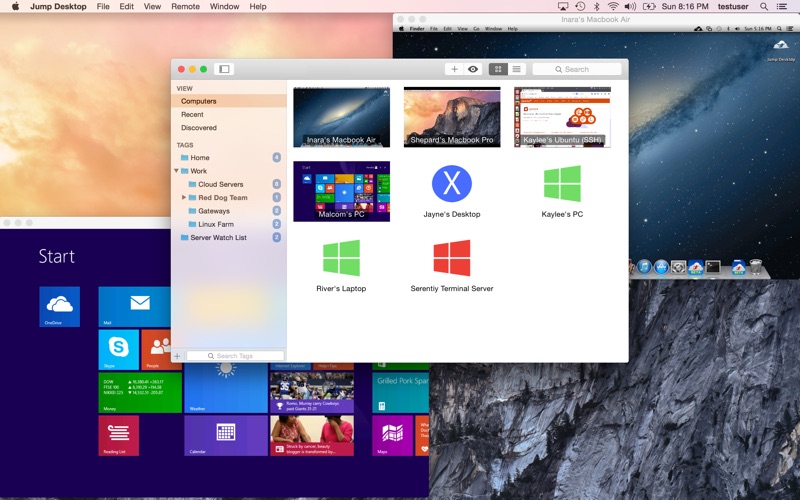
Enjoy the freedom to work from anywhere. Jump Desktop is a remote desktop application that lets you securely connect to any computer in the world. Compatible with both RDP and VNC, Jump Desktop is secure, reliable and very easy to set up. Jump Desktop also supports our own, high performance, next generation remote desktop protocol called Fluid Remote Desktop.
* Easy setup and reliable:
Jump Desktop is very easy to configure; anyone can do it! Just visit: https://www.jumpdesktop.com on your PC or Mac, click the ‘Automatic Setup’ link and follow step-by-step instructions. You’ll be up and running in no time.
* Secure:
Jump encrypts the connection between computers to ensure privacy and security. Automatic connections are always encrypted by default. Supports NLA, TLS/SSL encryption for RDP. SSH Tunnelling and SSL/TLS encryption for VNC. Fluid Remote Desktop uses DTLS for secure connections.
* Supercharged Productivity:
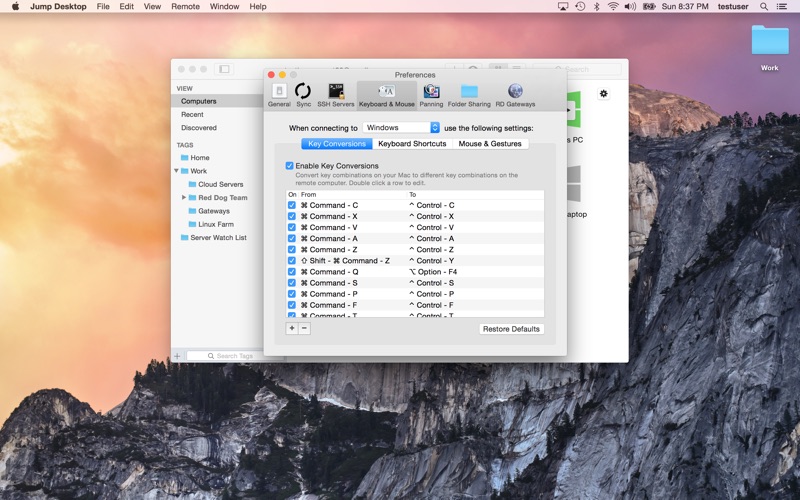
Use Mac keyboard shortcuts in Windows. Seamlessly switch between computers without changing the way you use the keyboard. Vastly improves productivity. Fully customizable: Configure your own shortcuts or use the built-in defaults. No other app comes close.
* Powerful Collaboration Features:
Collaborative screen sharing lets many users connect to the same desktop. Each user gets their own mouse cursor and can click and point without fighting over the same cursor. Great for editing documents with coworkers, tweaking designs with remote team members, creating presentations together, and teaching Grandma how to clean out her email.
* Remote Support
Connect and help anyone by asking them to install the free Jump Desktop Connect app and share a simple URL with you. It's simple, quick and very powerful.
* Integrated into macOS
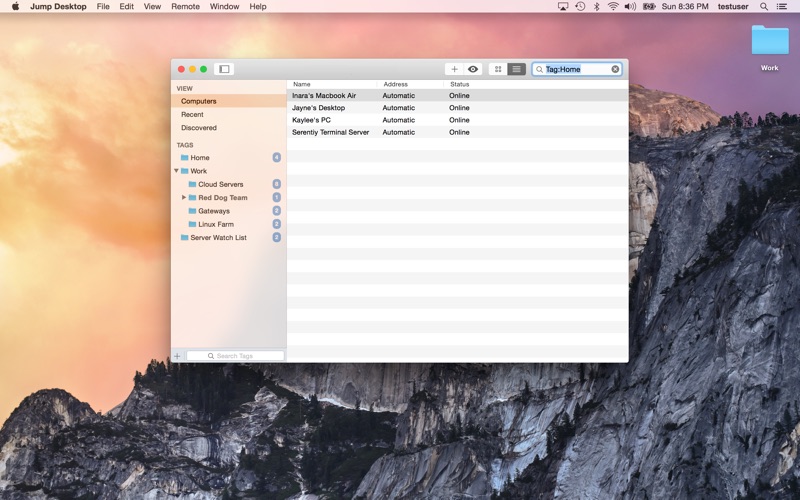
Quickly search and launch computers directly from Spotlight. Full support for tabbed windows. Tightly integrated into macOS's power saving technology to give you the best battery life on the go.
* Super fast and beautiful:
Our next generation high performance Fluid Remote Desktop is optimized for low latency secure screen sharing. We also have our own in-house implementations of VNC and RDP protocols. Multi-core, hardware accelerated rendering for zippy performance. Optimized for MacBook Pros and iMacs with Retina display.
Features:
* Multi-protocol: supports RDP, VNC and Fluid Remote Desktop
* Collaborative screen sharing
* Remote support
* Full international keyboard support for RDP, VNC and ARD
* Dictation support (Mountain Lion and later)
* Tabs (macOS Sierra and later)
* 3 different ways to zoom and pan the remote screen (really useful when controlling multi-monitor remote systems from laptops)
* Easy and secure setup: Automatically configure your PC or Mac for remote access without worrying about your router settings. Set up as many computers as you like and manage them all using your Google account (optional)
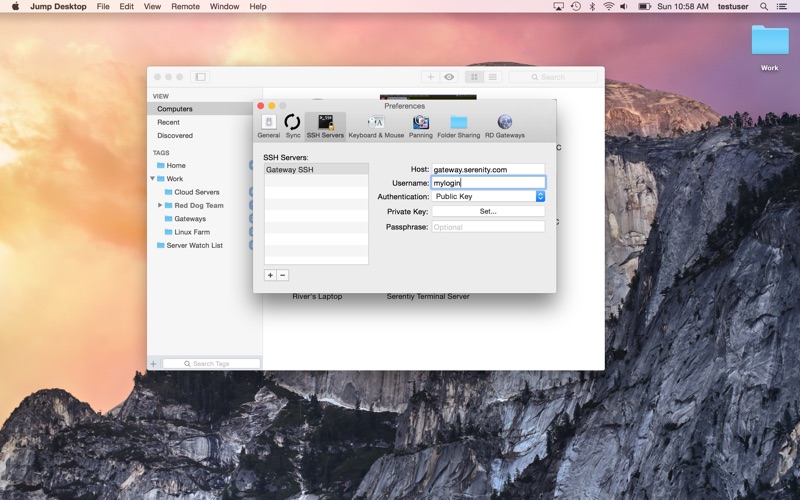
* Built-in SSH tunneling for RDP and VNC connections
RDP features:
* Tested on: Windows 2000, XP, Vista, Windows 7, Windows 8, Server 2003, Server 2008, Server 2008 R2, Server 2012/R2/2016/2019, SBS Server, Windows 10
* RD Broker and Load balancer support
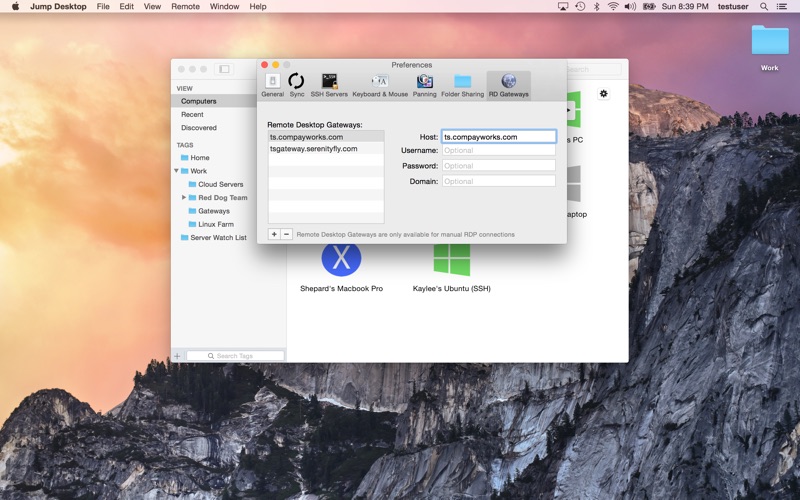
* RD Gateway support
* Dynamic resolution updates (Win 8.1/2012 R2+)
* Desktop Scaling (Win 8.1/2012 R2+)
* Multi monitor support
* Secure: 128-bit RDP, TLS/SSL, FIPS and NLA authentication supported
* Printing redirection support (including a optional , super-fast server side-driver)
* Audio streaming
* Console sessions
* Folder sharing
* International keyboard layouts
VNC features:
* Tested with macOS 10.5+, TightVNC, RealVNC, UltraVNC, Linux (Ubuntu Remote Desktop)
* Secure: Supports SSH tunneling as well as SSL encryption (SSL only available when using automatic setup)
* Black and white, Grayscale, 8-bit and 16-bit color modes to help manage bandwidth
* Clipboard syncing
* Multiple monitor support
* Easy setup and reliable:
Jump Desktop is very easy to configure; anyone can do it! Just visit: https://www.jumpdesktop.com on your PC or Mac, click the ‘Automatic Setup’ link and follow step-by-step instructions. You’ll be up and running in no time.
* Secure:
Jump encrypts the connection between computers to ensure privacy and security. Automatic connections are always encrypted by default. Supports NLA, TLS/SSL encryption for RDP. SSH Tunnelling and SSL/TLS encryption for VNC. Fluid Remote Desktop uses DTLS for secure connections.
* Supercharged Productivity:
Use Mac keyboard shortcuts in Windows. Seamlessly switch between computers without changing the way you use the keyboard. Vastly improves productivity. Fully customizable: Configure your own shortcuts or use the built-in defaults. No other app comes close.
* Powerful Collaboration Features:
Collaborative screen sharing lets many users connect to the same desktop. Each user gets their own mouse cursor and can click and point without fighting over the same cursor. Great for editing documents with coworkers, tweaking designs with remote team members, creating presentations together, and teaching Grandma how to clean out her email.
* Remote Support
Connect and help anyone by asking them to install the free Jump Desktop Connect app and share a simple URL with you. It's simple, quick and very powerful.
* Integrated into macOS
Quickly search and launch computers directly from Spotlight. Full support for tabbed windows. Tightly integrated into macOS's power saving technology to give you the best battery life on the go.
* Super fast and beautiful:
Our next generation high performance Fluid Remote Desktop is optimized for low latency secure screen sharing. We also have our own in-house implementations of VNC and RDP protocols. Multi-core, hardware accelerated rendering for zippy performance. Optimized for MacBook Pros and iMacs with Retina display.
Features:
* Multi-protocol: supports RDP, VNC and Fluid Remote Desktop
* Collaborative screen sharing
* Remote support
* Full international keyboard support for RDP, VNC and ARD
* Dictation support (Mountain Lion and later)
* Tabs (macOS Sierra and later)
* 3 different ways to zoom and pan the remote screen (really useful when controlling multi-monitor remote systems from laptops)
* Easy and secure setup: Automatically configure your PC or Mac for remote access without worrying about your router settings. Set up as many computers as you like and manage them all using your Google account (optional)
* Built-in SSH tunneling for RDP and VNC connections
RDP features:
* Tested on: Windows 2000, XP, Vista, Windows 7, Windows 8, Server 2003, Server 2008, Server 2008 R2, Server 2012/R2/2016/2019, SBS Server, Windows 10
* RD Broker and Load balancer support
* RD Gateway support
* Dynamic resolution updates (Win 8.1/2012 R2+)
* Desktop Scaling (Win 8.1/2012 R2+)
* Multi monitor support
* Secure: 128-bit RDP, TLS/SSL, FIPS and NLA authentication supported
* Printing redirection support (including a optional , super-fast server side-driver)
* Audio streaming
* Console sessions
* Folder sharing
* International keyboard layouts
VNC features:
* Tested with macOS 10.5+, TightVNC, RealVNC, UltraVNC, Linux (Ubuntu Remote Desktop)
* Secure: Supports SSH tunneling as well as SSL encryption (SSL only available when using automatic setup)
* Black and white, Grayscale, 8-bit and 16-bit color modes to help manage bandwidth
* Clipboard syncing
* Multiple monitor support
リリース情報
macOS Tahoe compatibility