アプリ詳細
 | 俊 姜 |
更新日:2026/03/16 17:56
怒り度・不満度・喜び度 評価
レビューに書かれているワードをカウントし、
その割合を元に独自の評価を行っております。
インストール判断の一つとしてご利用ください。
その割合を元に独自の評価を行っております。
インストール判断の一つとしてご利用ください。
怒り : 0%
詐欺,訴える,危険,酷い,最低,最悪,悪徳,ゴミ,金返せ...
詐欺,訴える,危険,酷い,最低,最悪,悪徳,ゴミ,金返せ...
不満 : 79%
広告,バグ,エラー,不具合,落ちる,出来ない,改善,修正して...
広告,バグ,エラー,不具合,落ちる,出来ない,改善,修正して...
喜び : 21%
良い,楽しい,大好き,面白い,便利,使いやすい,満足,最高...
良い,楽しい,大好き,面白い,便利,使いやすい,満足,最高...
カスタマーレビュー★
★★★★★
iPhone13でも使えるマニュアルやexampleが丁寧なので、プログラミングしたことない人でもすぐにできるようになると思います。 iPhone13ですが、普通に使えています。ストアから消えると困るので書き込んでおきます。 同様のソフト(BASICやポケコン)が増えるといいなと思いますが、あんまり人気ないのかな? 追記 剰余(%とかMOD)は無いのでしょうか? 結構使う場面があると思うんですが無いとそれを実現するのに手間なので。 IF文の条件で!=と<>を使うとエラーになるか落ちるかで使えないのですが直りませんか?追記剰余は2〜3行費やせば代替出来るとして、配列が無いのが痛すぎる。DIMを使えるようにしてください。お願いします。さらに追記 上のタブが表示されず操作できない方へ自分も同じ症状でしたが、「設定」の「画面表示と明るさ」の中の「ディスプレイ」の項目で、拡大表示にしていませんか?これをデフォルトに戻したら、本アプリ紹介の画面表示例と同じになり操作できるようになりました。 OPENできない方達は、作者からの指摘どおり、ファイル番号を選べば開けませんか?自分は開けますが? 作者様←以前も要望しましたが、配列が使えるようになれば最高なんですが無理ですか?配列がないと出来ないことが多すぎて困ってます。
けんじ1112 : 2026/01/24
★☆☆☆☆
上のタブが操作出来ないiphone 11proでアプリを開くと画面上にタブが4個(File Edit Run Help)ありますがEditとRunがカメラとマイクの部分とかぶっているので操作出来ません。せっかく購入したのにタダのゴミアプリになってしまった。返金して欲しい!!
チーチ0315 : 2024/03/22
★☆☆☆☆
ファイルがopenできませんsaveしたファイルは表示されますが、openできないのでアプリが使えません。アップルは使えなくともお金だけはとるのでしょうか?
くいなさん : 2024/02/11
★☆☆☆☆
使えない。iPadで使いたかったけど全く使えない。画面におさまらないけどiPadでは無理?
Leo2nao : 2021/07/04
★☆☆☆☆
使えないインストールしても立ち上がらない。なんだかなぁ〜
lugonta : 2020/05/01
★☆☆☆☆
iPhoneとiPadiPhoneは使いやすいですが、ipadは、横向きが対応してないようです。すごく不便なので、改善してください。
自分の胸の片隅に : 2017/09/26
アプリ概要
スクリーンショット
説明
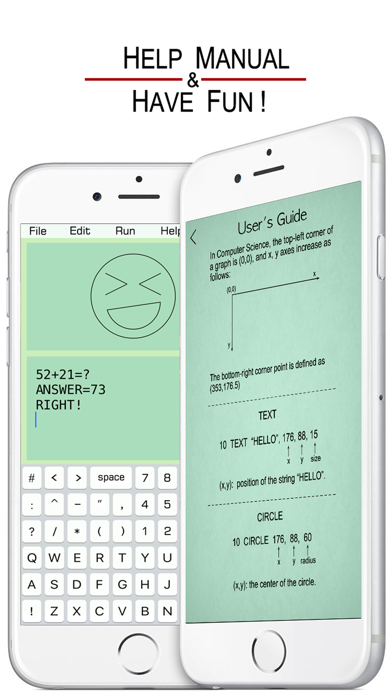
BASIC: 古き良き時代を再び感じる ! 懐かしい !
10 INPUT A
20 B = SIN(A)
30 PRINT "ANSWER: ", B
40 END
BASIC ユーザーガイド:
• PRINT
10 PRINT "HELLO WORLD !"
20 END
• INPUT
10 INPUT “A=”, A
20 PRINT A
30 END
• IF...THEN...
Number Comparison:
10 INPUT A
20 IF A>90 THEN B=“A”
30 PRINT B
40 END
Conditional Operators:
> greater than
< less than
>= greater than or equal to
=> equal to or greater than
<= less than or equal to
=< equal to or less than
= equal to
== equal to
<> not equal to
!= not equal to
THEN can be followed by GOTO, GOSUB, INPUT, PRINT.
String Comparison:
10 INPUT A
20 IF A=“TOM” THEN PRINT “BOY”
30 END
Conditional Operators:
= is
== is
<> is not
!= is not
• FOR...NEXT...
10 FOR I=1 TO 4 STEP 2
20 PRINT “HELLO”, I
30 NEXT I
40 END
STEP specifies the counter increment for each loop. If STEP doesn’t exit, the default increment is 1.
FOR...NEXT... loop can be nested.
10 FOR I=1 TO 5
20 FOR J=1 TO 4
30 PRINT I, J
40 NEXT J
50 NEXT I
60 END
• GOTO
10 ...
20 ...
30 ...
40 GOTO 10
50 ...
• GOSUB
10 PRINT “H”
20 GOSUB 100
30 PRINT “L”
40 END
100 PRINT “A”
110 RETURN
• SOUND
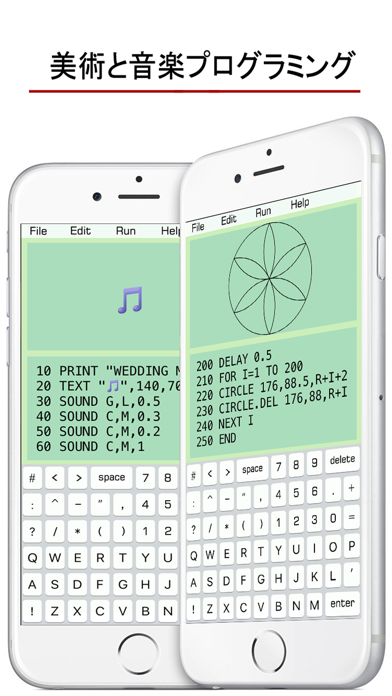
10 SOUND C, M, 0.5
The line 10 plays Middle C piano note for 0.5 seconds.
Note: C, C#, D, D#, E, F, F#, G, G#, A, A#, B
Pitch Range: L (low), M (middle), H (high)
Lasting Time: specifies how long a note lasts.
C, D, E, F, G, A, B can also be labeled as 1, 2, 3, 4, 5, 6, 7. (C# as 1#).
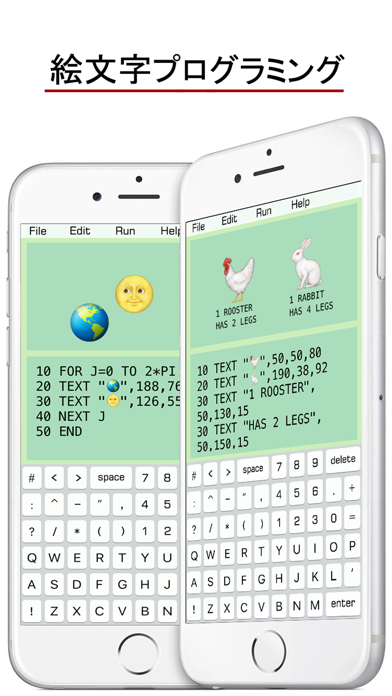
• TEXT
10 TEXT “HELLO”, x, y, size
(x,y): position of the string “HELLO”.
• CIRCLE
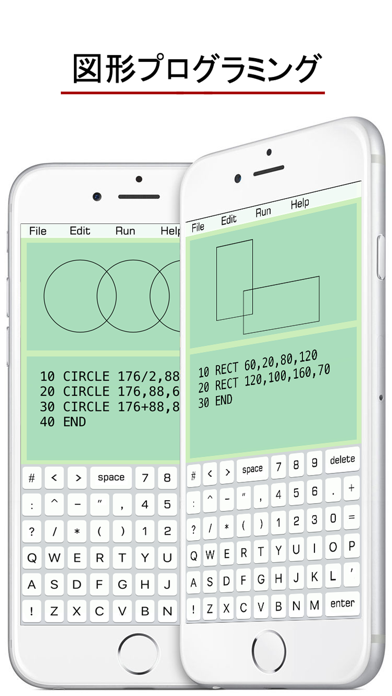
10 CIRCLE x, y, radius
(x,y): the center of the circle.
• RECTANGLE
10 RECT x, y, width, height
(x,y): top-left point of the rectangle.
• LINE
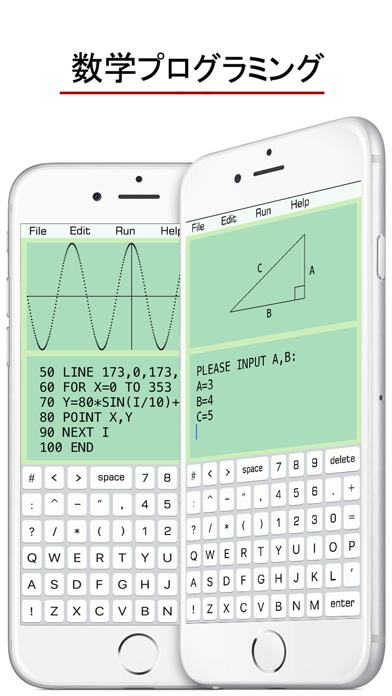
10 LINE x1, y1, x2, y2
(x1,y1): the starting point of the line.
(x2,y2): the ending point of the line.
• POINT
10 POINT x, y
(x,y): the position of the point.
• CLR: clear the edit window.
• CLS: clear the graph window.
• DELAY
10 DELAY 0.5
0.5:lasting time in seconds
This function is used to suspend execution of a program for a particular time.
• CURVE
10 CURVE x, y, radius, 0, PI
0: starting angle
PI: ending angle
The curve draws clockwise with center (x,y).
• Mathematical Functions:
SIN(X), COS(X), TAN(X), COT(X),
ASIN(X), ACOS(X), ATAN(X),
SINH(X), COSH(X), TANH(X),
ASINH(X), ACOSH(X), ATANH(X).
SQR(X): square root of x.
ABS(X): absolute value of x.
FCT(X): x factorial.
LOG(X): natural logarithm of x.
LOG10(X): base-10 logarithm of x.
LOG2(X) :base-2 logarithm of x.
EXP(X): base-e exponential of x.
ERF(X): the error function of x.
ERFC(X): the complementary error function of x.
ROUND(X) :integral nearest to x.
CEIL(X): the smallest integral that is not less than x.
FLOOR(X): the largest integral that is not greater than x.
TGAMMA(X): the gamma function of x.
LGAMMA(X): the natural logarithm of the absolute value of the gamma function of x.
• Reserved Variables:
INKEY : once a key is pressed, the value of INKEY changes.
RND : a random number.
PI : π
• Some Tips:
1. Undo & Redo typing on iPhone with a shake.
2. Copy an Emoji or some character from other places (like Notes), then paste them on the edit window.
3. Exponentiation is expressed as X^Y.
10 INPUT A
20 B = SIN(A)
30 PRINT "ANSWER: ", B
40 END
BASIC ユーザーガイド:
10 PRINT "HELLO WORLD !"
20 END
• INPUT
10 INPUT “A=”, A
20 PRINT A
30 END
• IF...THEN...
Number Comparison:
10 INPUT A
20 IF A>90 THEN B=“A”
30 PRINT B
40 END
Conditional Operators:
> greater than
< less than
>= greater than or equal to
=> equal to or greater than
<= less than or equal to
=< equal to or less than
= equal to
== equal to
<> not equal to
!= not equal to
THEN can be followed by GOTO, GOSUB, INPUT, PRINT.
String Comparison:
10 INPUT A
20 IF A=“TOM” THEN PRINT “BOY”
30 END
Conditional Operators:
= is
== is
<> is not
!= is not
• FOR...NEXT...
10 FOR I=1 TO 4 STEP 2
20 PRINT “HELLO”, I
30 NEXT I
40 END
STEP specifies the counter increment for each loop. If STEP doesn’t exit, the default increment is 1.
FOR...NEXT... loop can be nested.
10 FOR I=1 TO 5
20 FOR J=1 TO 4
30 PRINT I, J
40 NEXT J
50 NEXT I
60 END
• GOTO
10 ...
20 ...
30 ...
40 GOTO 10
50 ...
• GOSUB
10 PRINT “H”
20 GOSUB 100
30 PRINT “L”
40 END
100 PRINT “A”
110 RETURN
• SOUND
10 SOUND C, M, 0.5
The line 10 plays Middle C piano note for 0.5 seconds.
Note: C, C#, D, D#, E, F, F#, G, G#, A, A#, B
Pitch Range: L (low), M (middle), H (high)
Lasting Time: specifies how long a note lasts.
C, D, E, F, G, A, B can also be labeled as 1, 2, 3, 4, 5, 6, 7. (C# as 1#).
• TEXT
10 TEXT “HELLO”, x, y, size
(x,y): position of the string “HELLO”.
• CIRCLE
10 CIRCLE x, y, radius
(x,y): the center of the circle.
• RECTANGLE
10 RECT x, y, width, height
(x,y): top-left point of the rectangle.
• LINE
10 LINE x1, y1, x2, y2
(x1,y1): the starting point of the line.
(x2,y2): the ending point of the line.
• POINT
10 POINT x, y
(x,y): the position of the point.
• CLR: clear the edit window.
• CLS: clear the graph window.
• DELAY
10 DELAY 0.5
0.5:lasting time in seconds
This function is used to suspend execution of a program for a particular time.
• CURVE
10 CURVE x, y, radius, 0, PI
0: starting angle
PI: ending angle
The curve draws clockwise with center (x,y).
• Mathematical Functions:
SIN(X), COS(X), TAN(X), COT(X),
ASIN(X), ACOS(X), ATAN(X),
SINH(X), COSH(X), TANH(X),
ASINH(X), ACOSH(X), ATANH(X).
SQR(X): square root of x.
ABS(X): absolute value of x.
FCT(X): x factorial.
LOG(X): natural logarithm of x.
LOG10(X): base-10 logarithm of x.
LOG2(X) :base-2 logarithm of x.
EXP(X): base-e exponential of x.
ERF(X): the error function of x.
ERFC(X): the complementary error function of x.
ROUND(X) :integral nearest to x.
CEIL(X): the smallest integral that is not less than x.
FLOOR(X): the largest integral that is not greater than x.
TGAMMA(X): the gamma function of x.
LGAMMA(X): the natural logarithm of the absolute value of the gamma function of x.
• Reserved Variables:
INKEY : once a key is pressed, the value of INKEY changes.
RND : a random number.
PI : π
• Some Tips:
1. Undo & Redo typing on iPhone with a shake.
2. Copy an Emoji or some character from other places (like Notes), then paste them on the edit window.
3. Exponentiation is expressed as X^Y.
リリース情報
Built with iOS SDK 18.